
7 Signs Your Internal IT Team Is Overloaded With Security Tasks
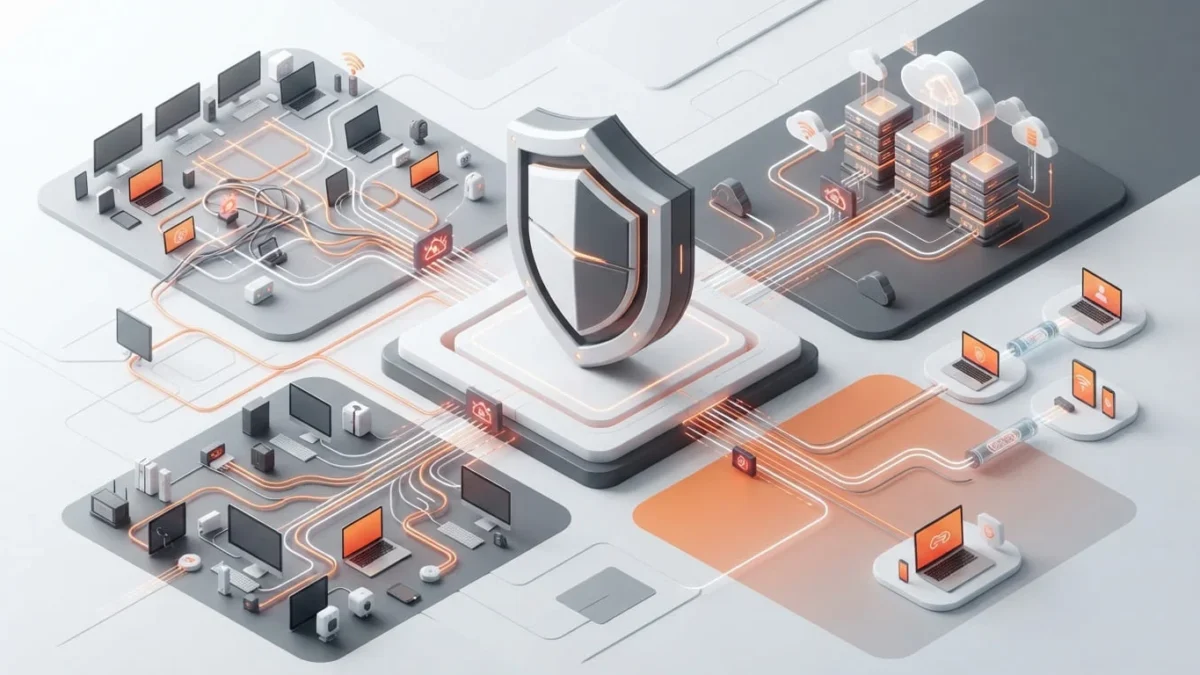
The Most Common Firewall Design Mistakes in Growing Companies
Introduction
A firewall often begins its life as a practical purchase. A company needs internet access, remote connectivity, basic protection, and a way to keep obvious threats away from internal systems. The firewall gets installed, a few rules are added, VPN access is configured, and daily operations continue.
That approach may work well when the business has one office, a small number of users, limited cloud services, and a simple network. Problems usually appear when the company grows. More employees connect remotely. More applications move into cloud platforms. Vendors require access. New branches open. Guest Wi-Fi becomes necessary. Financial systems, production devices, cameras, servers, and employee laptops all need different levels of protection.
At that point, the firewall stops being a simple perimeter device. It becomes part of the company’s operating model. It controls access between users, systems, locations, applications, and external services. A weak design can slow down operations, create hidden security gaps, make troubleshooting painful, and turn every network change into a high-risk event.
The most expensive firewall mistakes rarely come from choosing the wrong hardware model. They come from unclear planning, undocumented rules, weak segmentation, rushed exceptions, and the assumption that a device can protect the business without a carefully managed architecture behind it.
Why business growth changes firewall requirements
Growing companies often add technology faster than they update their security design. A new department needs access to a cloud platform. A warehouse installs scanners and industrial equipment. A contractor needs temporary remote access. A second office opens. A customer portal goes live. Each change may appear minor, but together they create a more complex environment with more traffic paths, more identities, and more potential failure points.
The firewall configuration that worked two years ago may no longer reflect how the business operates today. Rules that were once temporary may now support critical applications. Old VPN tunnels may remain active for former partners. Internal segments may allow more communication than necessary. Logging may not cover the systems that matter most.
Growth usually introduces new requirements
- Remote employees and hybrid work arrangements
- Cloud applications and software-as-a-service platforms
- Additional offices, warehouses, or branch locations
- Third-party vendor connectivity
- Guest Wi-Fi and bring-your-own-device access
- More endpoints, mobile devices, and IoT equipment
- Higher expectations for uptime and business continuity
- Compliance obligations and customer security questionnaires
A firewall design should evolve with these changes. When it does not, the business begins to rely on improvised rules and temporary workarounds. Those workarounds may solve an immediate problem, but they often create longer-term risk.
The most common firewall design mistakes
1. Treating the firewall as the only security control
A firewall remains an important security layer, but it cannot protect everything on its own. It does not replace endpoint protection, multi-factor authentication, patch management, secure backups, access reviews, employee awareness, or incident-response planning.
Companies sometimes assume that a well-known firewall brand automatically creates a secure environment. In reality, the device can only enforce the rules, policies, and visibility that administrators configure. A firewall with broad access rules, weak logging, outdated firmware, or poor segmentation may create a false sense of safety rather than meaningful protection.
2. Building one flat network for every system
A flat network allows many systems to communicate freely with one another. At first, this can feel convenient. Users can access shared resources easily, devices are quick to connect, and troubleshooting appears simple because fewer restrictions exist.
The problem appears when one compromised device can move laterally through the environment. A phishing attack, infected laptop, unmanaged printer, or vulnerable device may gain access to systems that should remain isolated. Flat networks make it harder to contain threats and more difficult to understand which traffic is truly necessary.
A growing company should separate important environments where appropriate. Employee devices, guest Wi-Fi, servers, voice systems, cameras, industrial devices, finance systems, and administrative interfaces do not always need the same level of connectivity.
3. Adding firewall rules without a business owner or expiration date
Firewall rules often begin with a reasonable request. An application cannot connect. A vendor needs access. A remote office needs a new route. A project team needs a service port opened temporarily. The request gets approved quickly because the business needs to move forward.
The trouble begins when nobody records why the rule exists, who requested it, which system owns it, or when it should be reviewed. Over time, the rule set expands. Administrators become afraid to remove anything because they do not know what may break. The firewall starts to resemble an attic: everything gets stored there because no one has time to decide what should leave.
4. Using overly broad allow rules
Broad rules may solve connectivity problems quickly, but they create unnecessary exposure. Examples include allowing all traffic between two network segments, opening large port ranges, permitting unrestricted outbound access, or giving vendors broad remote access to internal systems.
A more secure design follows the principle of least privilege. Systems should receive only the access they need for a defined business purpose. This may require more planning at the beginning, but it reduces the chance that a compromised device or account can reach unnecessary services.
5. Ignoring internal traffic inspection
Many organizations focus heavily on internet traffic while treating internal traffic as automatically trustworthy. That assumption does not match modern risk. Attacks can begin through phishing, compromised credentials, infected endpoints, malicious insiders, unmanaged devices, or vulnerable third-party software.
Internal segmentation and controlled traffic paths can limit the damage of a successful compromise. A user workstation should not have unrestricted access to every server. A guest device should not communicate with production systems. A camera network should not have the same privileges as the finance department.
6. Designing remote access around convenience alone
Remote access often grows quickly because employees, contractors, vendors, and support teams need to connect from outside the office. VPN access can be useful, but a weak design may give users more network visibility than they need.
A secure remote-access design should consider identity verification, multi-factor authentication, device security, role-based permissions, access logging, session controls, and separation between employee access and third-party access. Convenience matters, but unrestricted access for everyone creates a larger problem than a forgotten password ever will.
7. Forgetting that firewall capacity includes inspection workload
Firewall sizing is not only about internet speed. A device may support a certain throughput under simple conditions, but performance changes when teams enable VPN services, deep packet inspection, intrusion prevention, malware scanning, web filtering, SSL decryption, or detailed logging.
A growing company can outgrow a firewall even when its internet connection remains unchanged. More users, more encrypted traffic, more cloud services, and more inspection features all increase resource demands. Underestimating this workload can lead to slow applications, dropped connections, or disabled security features because the device cannot keep up.
Segmentation and access control: where many designs fall short
Network segmentation creates boundaries between systems that serve different purposes. It does not mean that every device requires a separate network. It means the company should decide which groups of assets need to communicate and which should remain isolated.
A practical design may separate corporate workstations, guest networks, servers, voice systems, management interfaces, security cameras, building controls, and development environments. The exact structure depends on the business, but the principle remains the same: connectivity should be intentional rather than automatic.
Common segmentation failures
- Guest Wi-Fi can reach corporate devices
- Employee laptops can access server-management interfaces
- Security cameras share the same segment as critical business systems
- Vendor access reaches more systems than required
- Development and production environments have unrestricted communication
- Administrative tools are available from ordinary user networks
- Firewall rules allow full access between VLANs because it seems easier
Good segmentation does not have to make daily work difficult. It should protect sensitive systems while allowing legitimate traffic to move predictably. The key is to understand business processes before writing access policies.
Start with traffic flows, not assumptions
Before creating new firewall rules, teams should identify how important applications actually communicate. Which users need access? Which ports and protocols are required? Which servers provide the service? Does the application need inbound access, outbound access, or both? Does the vendor need a permanent connection or only temporary maintenance access?
This discovery process forms the basis of a reliable design of firewall. It reduces unnecessary rules, makes future troubleshooting easier, and creates a clearer record of why each permitted connection exists.
Remote access risks that become more serious during growth
Remote access is no longer a special exception for a few travelling employees. Many businesses now rely on remote administration, cloud services, external vendors, home offices, mobile devices, and distributed teams. This makes remote connectivity an essential part of firewall planning rather than an afterthought.
Remote access controls should address
- Multi-factor authentication for all remote users
- Separate access policies for employees, contractors, and vendors
- Role-based access to only required systems
- Restrictions on administrative access from unmanaged devices
- Logging and monitoring of remote sessions
- Clear approval and removal procedures for temporary access
- Regular review of VPN accounts and remote-access groups
- Secure fallback methods during connectivity failures
One frequent mistake is using a single remote-access group for every type of user. Employees, external support providers, and temporary contractors do not need the same access. Separating these groups allows the company to apply different authentication requirements, time limits, source restrictions, and monitoring controls.
Remote access should also have an owner. Someone needs responsibility for approving new connections, reviewing old accounts, validating business need, and removing access when projects end. Without ownership, remote-access lists tend to grow long after the business reason disappears.
Logging and visibility: the missing side of firewall security
A firewall can block or allow traffic, but teams need visibility to understand whether those decisions work as intended. Logging helps identify blocked connection attempts, unexpected outbound traffic, suspicious activity, misconfigured applications, repeated authentication failures, and policy violations.
Many companies enable only basic logging because they worry about storage, performance, or administrative workload. Limited logging may reduce noise, but it can also leave the business unable to investigate an incident properly. The right approach is not to log everything blindly. It is to identify which events matter most and ensure that those events remain available for review.
Firewall logging should help answer questions such as
- Which system attempted to reach a blocked destination?
- Which rule allowed a suspicious connection?
- When did unusual outbound traffic begin?
- Which remote account connected to the network?
- Did a vendor access the systems they were approved to manage?
- Are repeated failed authentication attempts occurring?
- Which devices communicate across sensitive network segments?
- Can the company reconstruct activity during a security investigation?
Visibility also supports operational work. Logs can reveal DNS issues, incorrect routing, failed VPN connections, application configuration errors, and unexpected dependencies. They help teams solve problems faster because they replace guesses with evidence.
Logs need ownership and review procedures
Collecting logs without a process creates another kind of overload. Someone must know what alerts deserve immediate action, what trends require review, how long records should be retained, and when to escalate unusual activity. Logging becomes valuable when it supports decisions, not when it simply fills storage.
A better firewall planning process for growing companies
A reliable firewall environment comes from process, not from a single installation project. Companies should treat firewall changes as part of infrastructure governance. That means documenting requirements, understanding dependencies, testing changes, recording ownership, and reviewing policies over time.
A practical planning process
- Identify critical systems, users, applications, and business processes
- Create or update an asset inventory and network topology diagram
- Separate systems into logical zones based on risk and purpose
- Map required traffic flows between users, services, branches, and vendors
- Define access rules using least-privilege principles
- Document rule ownership, purpose, approval date, and review schedule
- Plan for remote access, VPNs, cloud connectivity, and third-party support
- Confirm firewall capacity for expected inspection and growth requirements
- Enable meaningful logging, monitoring, and alert escalation
- Review policies regularly and remove access that no longer serves a purpose
Companies that use it security outsourcing services can bring additional structure to this process. External specialists can help review existing rules, document traffic flows, identify unnecessary exposure, support firewall migrations, and create a scalable design without requiring the internal team to carry every technical and security responsibility alone.
Documentation makes future changes safer
Every rule should have a reason. Every important connection should have an owner. Every major network zone should have a purpose. These details help teams understand what will happen before they change a policy.
Without documentation, firewall administration becomes a sequence of risky guesses. With documentation, teams can review dependencies, test changes, communicate with stakeholders, and recover faster when something does not work as expected.
Firewall design assessment matrix
| Design area | Healthy approach | Common mistake | Potential impact |
|---|---|---|---|
| Network segmentation | Systems are grouped by purpose, sensitivity, and business function | All devices share broad internal access on a flat network | Threats can move more easily between systems |
| Rule management | Rules have owners, documented purpose, approval, and review dates | Rules are added quickly and remain forever without review | Unnecessary exposure and difficult troubleshooting |
| Remote access | Role-based VPN access with MFA, logging, and regular account review | One broad VPN group gives all users similar access | Excessive access for employees, vendors, or contractors |
| Traffic permissions | Access follows least-privilege principles and documented application flows | Large port ranges or unrestricted network-to-network access | Greater attack surface and weaker containment |
| Firewall sizing | Capacity planning includes inspection, VPNs, logging, and projected growth | Hardware is chosen only by internet bandwidth | Performance problems or disabled security features |
| Logging | Important events are retained, reviewed, and connected to escalation procedures | Logs are incomplete, ignored, or stored without ownership | Slow incident investigation and limited visibility |
| Documentation | Network zones, rules, dependencies, and ownership remain current | Knowledge exists only in tickets, email threads, or staff memory | Risky changes and dependence on specific employees |
This matrix gives companies a practical way to review whether their current firewall setup supports growth or merely keeps the existing environment running. The goal is not to create unnecessary complexity. The goal is to ensure that access decisions remain deliberate, understandable, and manageable over time.
When external firewall support can make sense
Growing companies often reach a point where firewall administration requires more time and expertise than the internal team can consistently provide. This does not mean the internal team has failed. It usually means the business has become more complex than its original IT operating model.
External support can help organizations improve firewall governance while allowing internal staff to focus on users, applications, projects, and business priorities. The most useful partnerships do not remove visibility from the company. They improve it through documentation, reporting, regular reviews, and clear escalation processes.
External support may be useful when a company needs
- A review of existing firewall rules and network segmentation
- Support with firewall migration or hardware replacement
- Ongoing monitoring and configuration management
- Better documentation of traffic flows and dependencies
- Help with VPN architecture and remote-access controls
- Regular policy review and removal of outdated rules
- Security reporting for leadership, customers, or auditors
- Additional response capacity during incidents or urgent changes
The best result comes from clear collaboration. Internal teams should provide business context, application priorities, and ownership information. External specialists should provide technical guidance, structured reviews, documented recommendations, and support for maintaining secure, scalable controls.
FAQ
What is the most common firewall design mistake?
One of the most common mistakes is adding access rules over time without documenting their purpose, owner, or review date. This creates a rule base that becomes difficult to manage and may allow unnecessary access long after the original business need ends.
Why is network segmentation important for firewall security?
Segmentation limits unnecessary communication between systems. It can help contain threats, protect sensitive resources, separate guest devices from corporate systems, and reduce the impact of a compromised endpoint or account.
Should every company use the same firewall architecture?
No. Firewall architecture should reflect the company’s size, applications, locations, remote-access needs, cloud usage, regulatory requirements, and risk profile. The goal is not to copy another company’s design but to create one that supports real business processes safely.
How often should firewall rules be reviewed?
Companies should review firewall rules on a regular schedule, often quarterly or at least annually depending on the environment. High-risk rules, vendor access, temporary exceptions, and internet-facing services may require more frequent review.
Can a firewall protect against ransomware?
A firewall can reduce certain ransomware risks by controlling network access, blocking suspicious traffic, segmenting systems, and supporting monitoring. However, ransomware protection also requires endpoint security, patching, backups, access control, employee awareness, and incident-response planning.
Sources
- NIST Cybersecurity Framework 2.0
- NIST SP 800-41 Rev. 1 Guidelines on Firewalls and Firewall Policy
- NIST SP 800-207 Zero Trust Architecture
- NIST SP 800-53 Rev. 5 Security and Privacy Controls for Information Systems and Organizations
- CISA Cybersecurity Performance Goals
- CISA Secure by Design guidance
- ISO/IEC 27001 information security management principles
© 2026 OutsourceITSecurity. All rights reserved.