Network Operations Handover: What to Document Before Outsourcing Computer Security
When Should a Company Stop Managing Cybersecurity In-House?
The Hidden Risks of Running Legacy Firewalls in Modern Business Networks
Introduction
A legacy firewall rarely looks dangerous at first glance. It may still pass traffic, block obvious threats, support VPN connections, and display a familiar management interface that the internal IT team knows by heart. From a business perspective, this can create a comfortable illusion: if the firewall is still running, it must still be doing its job.
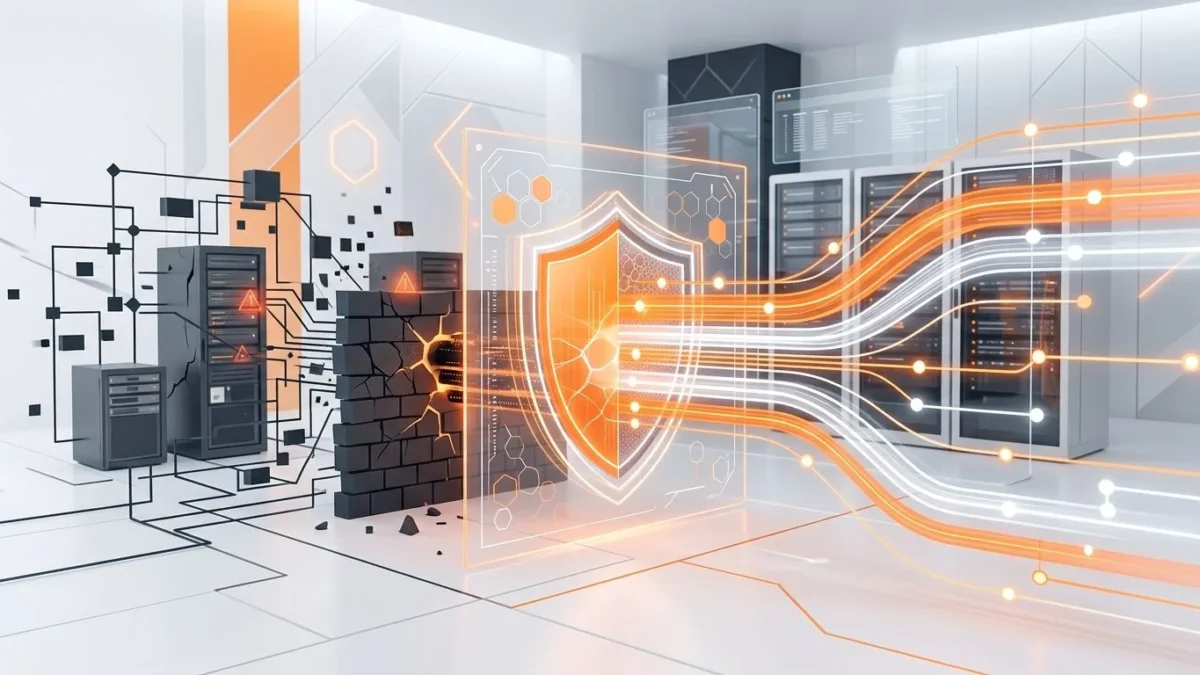
The problem is that modern networks have changed faster than many perimeter devices. Cloud applications, remote users, hybrid infrastructure, SaaS platforms, encrypted traffic, identity-based access, and advanced threat activity all place heavier demands on security controls. A firewall that worked well years ago may now create blind spots that attackers, misconfigurations, and operational mistakes can quietly exploit.
For companies reviewing their infrastructure strategy, it outsourcing security can help identify where old firewall platforms no longer match current business risk. The goal is not to replace technology for the sake of novelty. The goal is to understand whether an aging security control still protects the organization, or whether it has become a silent liability sitting at the edge of the network like an old guard who still wears the uniform but can no longer see the gate clearly.
Why legacy firewalls remain in production for too long
Businesses rarely keep outdated firewall platforms because they enjoy risk. They usually keep them because replacement feels disruptive. A firewall can touch almost every part of the environment: internet access, internal segmentation, VPN tunnels, partner connections, NAT rules, routing, remote administration, logging, and application availability. Replacing it without careful preparation can affect users, customers, suppliers, and critical systems.
Several common reasons explain why legacy firewalls stay in production:
- The device still works, so replacement does not feel urgent
- No one fully understands the existing rule base
- Old VPN tunnels depend on undocumented settings
- Internal teams fear downtime during cutover
- Management sees the project as a cost rather than risk reduction
- Configuration backups and diagrams are outdated
- The organization lacks time for a structured migration project
These reasons are understandable, but they do not remove risk. In many environments, the longer a legacy firewall remains untouched, the harder it becomes to replace. Rules accumulate, exceptions multiply, documentation falls behind, and the device turns into a museum exhibit with production traffic flowing through it. That is exciting only if someone enjoys archaeology during an outage.
Limited visibility weakens threat detection
Modern security depends on visibility. Teams need to know which users, devices, applications, services, and destinations generate traffic. They also need logs that support investigation when something looks suspicious. Legacy firewalls often struggle in this area because their logging, reporting, and inspection capabilities were designed for an older network model.
What visibility gaps look like
- Logs show IP addresses but not enough user or application context
- Encrypted traffic passes with little meaningful inspection
- Alerts lack clear severity, ownership, or investigation detail
- Traffic reports do not show useful trends or anomalies
- Integration with SIEM, EDR, or monitoring tools is limited
- Remote access activity lacks sufficient session-level detail
When visibility is weak, security teams spend more time guessing. They may see that traffic was allowed, but not understand whether it was normal, risky, or tied to a compromised account. They may receive alerts, but lack the context needed to separate real incidents from noise. This slows response and increases the chance that suspicious activity will remain unnoticed.
Why modern environments need stronger context
A traditional perimeter model assumed that most important assets lived inside the office network. That assumption no longer fits many businesses. Employees connect from different locations, applications run in cloud environments, and sensitive data moves through SaaS platforms. A firewall that cannot provide useful context across this activity gives the business an incomplete picture of risk.
Visibility does not guarantee security, but poor visibility almost guarantees confusion. If a company cannot see what passes through its controls, it cannot reliably protect, investigate, or improve the environment.
Old firewall rules create hidden exposure
Firewall policy often becomes messy over time. A rule gets added for a project. Another rule supports a temporary vendor connection. A broad allow rule appears during troubleshooting. An old server disappears, but its access rule stays. Years later, the rule base contains hundreds or thousands of entries, and no one wants to touch them because no one knows what might break.
Common policy problems in legacy environments
- Rules without clear business owners
- Temporary exceptions that became permanent
- Overly broad source or destination ranges
- Open services that no longer support active systems
- Duplicated, shadowed, or conflicting rules
- Weak logging on high-risk access
- Old NAT rules tied to forgotten public services
- Vendor access that no one reviews regularly
These issues create hidden exposure. A company may believe it has a strict perimeter, while the actual policy allows unnecessary paths into sensitive segments. Attackers do not need a dramatic Hollywood-style breach when the firewall already permits more access than the business understands.
Why policy cleanup becomes harder with age
The older the rule base, the harder it becomes to clean. Internal staff may hesitate to remove rules because they cannot confirm dependencies. Application owners may not know which connections their systems require. Documentation may show one design while the firewall enforces another. This turns every cleanup attempt into a political and technical puzzle.
Performance limits can reduce security effectiveness
A firewall does not only need to pass traffic. It needs to inspect traffic, enforce policy, support VPN sessions, handle encrypted connections, log events, and maintain availability under load. Legacy platforms may technically remain functional while operating close to their limits.
Signs that performance has become a risk
- Security features are disabled because they slow traffic
- VPN users experience unstable connections during peak hours
- Logging is reduced to preserve system resources
- Firmware updates become risky because hardware has little capacity left
- High availability failover is unreliable or untested
- Throughput drops when inspection features are enabled
This creates an uncomfortable trade-off. The company may choose between performance and protection. If deeper inspection slows the business, teams may turn it off. If logs create storage or processing pressure, teams may reduce them. If VPN load grows, remote users may receive unstable access. In each case, the business keeps the firewall online but weakens the security value it provides.
Capacity planning matters before failure
Firewall capacity should match current and expected traffic, not the traffic profile from five years ago. Companies that add cloud services, remote teams, new branches, video traffic, or heavier encrypted workloads should review whether their platform can support those changes. Waiting until the device becomes a bottleneck usually makes replacement more urgent, more stressful, and more expensive.
Remote access can expose old design decisions
Remote access often reveals the weaknesses of legacy firewall architecture. Many older deployments were designed when remote work was occasional, not a normal operating model. VPN access may have been added gradually, with exceptions for administrators, contractors, partners, and emergency scenarios.
Remote access risks to review
- VPN groups with excessive network access
- Weak separation between user roles
- Outdated authentication methods
- Limited multi-factor authentication support
- Poor visibility into remote sessions
- Old client software that creates support and security issues
- Contractor accounts that remain active after projects end
A remote user should not receive broad internal access simply because the old firewall cannot enforce more precise controls. Modern access expectations require stronger identity checks, narrower permissions, better logging, and regular reviews. If a legacy platform cannot support these controls, the organization may carry unnecessary exposure every time users connect from outside the office.
VPN is not a complete access strategy
A VPN connection creates a path into the environment. It does not automatically verify that the user needs all resources available through that path. It also does not solve device health, account compromise, session monitoring, or privilege review by itself. Companies should evaluate remote access as part of a broader security model, not as a checkbox on the firewall configuration page.
Compliance and audit readiness suffer when controls are outdated
Many organizations need to prove that they manage access, protect data, monitor activity, and review security controls. Legacy firewalls can make this harder when they cannot produce clear evidence or when their configuration does not reflect documented policies.
Audit problems caused by old firewall environments
- Incomplete logs for investigation or compliance review
- No clear evidence of rule reviews
- Unclear ownership of privileged access
- Unsupported firmware or end-of-life hardware
- Policies that do not match actual firewall configuration
- Weak documentation around exceptions and business justification
Auditors and internal risk teams do not usually ask whether a firewall has blinking lights. They ask whether the organization can demonstrate control. If the company cannot show who approved access, why a rule exists, when it was reviewed, and how security events are monitored, the firewall becomes a documentation problem as well as a technical one.
End-of-life status deserves special attention
A device that no longer receives vendor support or security updates creates a serious concern. Unsupported platforms may contain unresolved vulnerabilities, limited compatibility with modern tools, and reduced options during incidents. Even when the device appears stable, unsupported status can weaken the organization’s risk posture and complicate insurance, audit, or customer security questionnaires.
Legacy firewalls increase operational dependency on a few people
Older firewall environments often depend on informal knowledge. One administrator knows why a strange NAT rule exists. Another remembers which vendor tunnel breaks if a setting changes. A third person knows which old server still needs a special exception. This knowledge may keep operations running, but it creates a fragile support model.
Operational dependency creates several risks
- Changes slow down because only one person understands the configuration
- Incident response depends on unavailable staff
- Documentation remains incomplete because everyone relies on memory
- New engineers avoid cleanup because the environment feels dangerous
- Management cannot accurately estimate risk or modernization effort
This is one of the least visible but most serious risks of legacy platforms. The firewall may not fail technically, but the operating model around it becomes unstable. If key staff leave, become unavailable, or simply forget details, the company may lose the practical knowledge needed to maintain security.
Good documentation reduces fear
Teams avoid changes when they lack confidence. Strong documentation, clean diagrams, tested backups, rule ownership, and change history give engineers the confidence to improve the environment. Without that foundation, even small firewall updates can feel like stepping into a dark room full of cables and hoping nothing growls.
When replacement becomes necessary
Not every older firewall must be replaced immediately. Some environments can remain stable while the company prepares documentation, reviews rules, and plans improvements. However, certain signs indicate that replacement should move from a future idea to an active project.
Replacement should be considered when
- The platform is unsupported or approaching end of life
- Security features cannot be enabled without major performance impact
- Logs do not support investigation or compliance needs
- Remote access controls no longer match business requirements
- Firewall rules are too broad, unclear, or difficult to validate
- Integration with monitoring and security tools is limited
- The device cannot support cloud, hybrid, or multi-site architecture
- Internal teams cannot safely maintain the configuration
The safest approach is to treat replacement as a controlled transition, not a desperate hardware swap. A structured firewall migration plan should include discovery, rule analysis, dependency mapping, backup validation, testing, rollback procedures, stakeholder communication, and post-cutover monitoring.
Migration should begin with understanding, not equipment
Buying a new firewall is not the first step. The first step is understanding the existing environment. Which rules are required? Which applications depend on specific paths? Which VPN tunnels support external partners? Which logs matter? Which risks need immediate reduction? Without those answers, a migration can simply move old confusion onto new hardware.
A strong migration process gives the company a chance to clean policy, improve visibility, standardize access, validate documentation, and build a more manageable security model. That is where replacement becomes more than an infrastructure refresh. It becomes a business risk reduction project.
Legacy firewall risk matrix
| Risk area | What usually happens | Business impact | Recommended action |
|---|---|---|---|
| Visibility | Logs lack user, application, or session context | Security teams struggle to investigate suspicious activity | Review logging, reporting, and integration requirements |
| Rule base | Old, broad, duplicated, or undocumented rules remain active | Unnecessary access increases exposure | Map rule ownership, business purpose, and review status |
| Performance | Inspection features are disabled to preserve throughput | The firewall passes traffic but provides weaker protection | Compare current capacity with real traffic and inspection needs |
| Remote access | VPN access grants more network reach than users need | Compromised accounts can expose larger parts of the environment | Review roles, MFA, session logging, and access scope |
| Compliance | Evidence, logs, approvals, and reviews are incomplete | Audits, customer reviews, and incident investigations become harder | Align documentation with actual firewall configuration |
| Supportability | The platform is unsupported or understood by only a few people | Maintenance and emergency response become fragile | Prepare documentation, backups, and a modernization roadmap |
This matrix helps separate technical inconvenience from business risk. A slow interface may annoy administrators, but missing logs, unsupported firmware, broad access rules, and weak remote access controls can affect security, compliance, and continuity.
What businesses gain by addressing legacy firewall risk
- Better visibility into users, applications, traffic, and security events
- Cleaner firewall policy with documented business reasons
- Stronger remote access control for employees and vendors
- Improved audit readiness and easier evidence collection
- Higher confidence during maintenance and infrastructure changes
- Reduced dependency on undocumented administrator knowledge
- Better alignment between security controls and current business operations
- Lower risk during cloud, hybrid, and multi-site growth
Modernizing a firewall environment does not mean chasing every new feature. It means making sure the control still fits the network it protects. A business that understands its firewall risks can make better decisions: clean the rule base, improve monitoring, redesign remote access, replace unsupported hardware, or plan a phased migration.
The worst option is pretending that a legacy firewall is safe simply because it has not failed yet. Security controls can become outdated quietly. They do not always announce the problem with an alarm. Sometimes they just keep allowing traffic, collecting poor logs, and waiting for the day someone asks why no one reviewed that old rule from 2017.
FAQ
How do I know if a firewall is too old for modern business use
A firewall may be too old if it no longer receives vendor support, cannot provide useful logs, struggles with encrypted traffic, lacks modern remote access controls, or cannot run necessary security features without performance problems.
Is a working legacy firewall still a security risk
Yes. A firewall can continue passing traffic while still creating risk. The main issue is not only uptime. The business should evaluate visibility, policy quality, support status, access control, performance, and integration with security operations.
Should old firewall rules be cleaned before replacement
Yes, whenever possible. Migrating every old rule without review can transfer unnecessary exposure to the new platform. Rule cleanup should identify owners, business reasons, unused access, temporary exceptions, and high-risk permissions.
Can firewall migration cause downtime
Migration can cause downtime if it is poorly planned. A controlled project should include discovery, testing, backup validation, rollback steps, communication, and post-cutover monitoring to reduce disruption.
What is the biggest hidden risk of legacy firewalls
The biggest hidden risk is lack of understanding. If the company does not know which rules matter, what traffic is normal, who owns access, and how the device supports operations, the firewall becomes difficult to manage safely.
Sources
- NIST Cybersecurity Framework 2.0
- NIST SP 800-41 Rev. 1 Guidelines on Firewalls and Firewall Policy
- NIST SP 800-53 Rev. 5 Security and Privacy Controls for Information Systems and Organizations
- NIST SP 800-61 Rev. 2 Computer Security Incident Handling Guide
- CISA Cybersecurity Performance Goals
- ISO/IEC 27001 information security management principles
© 2026 OutsourceITSecurity. All rights reserved.